Upload documents
What it is for: sending your firm the paperwork they need, and receiving drafts and finished returns back, all in one secure place instead of email.
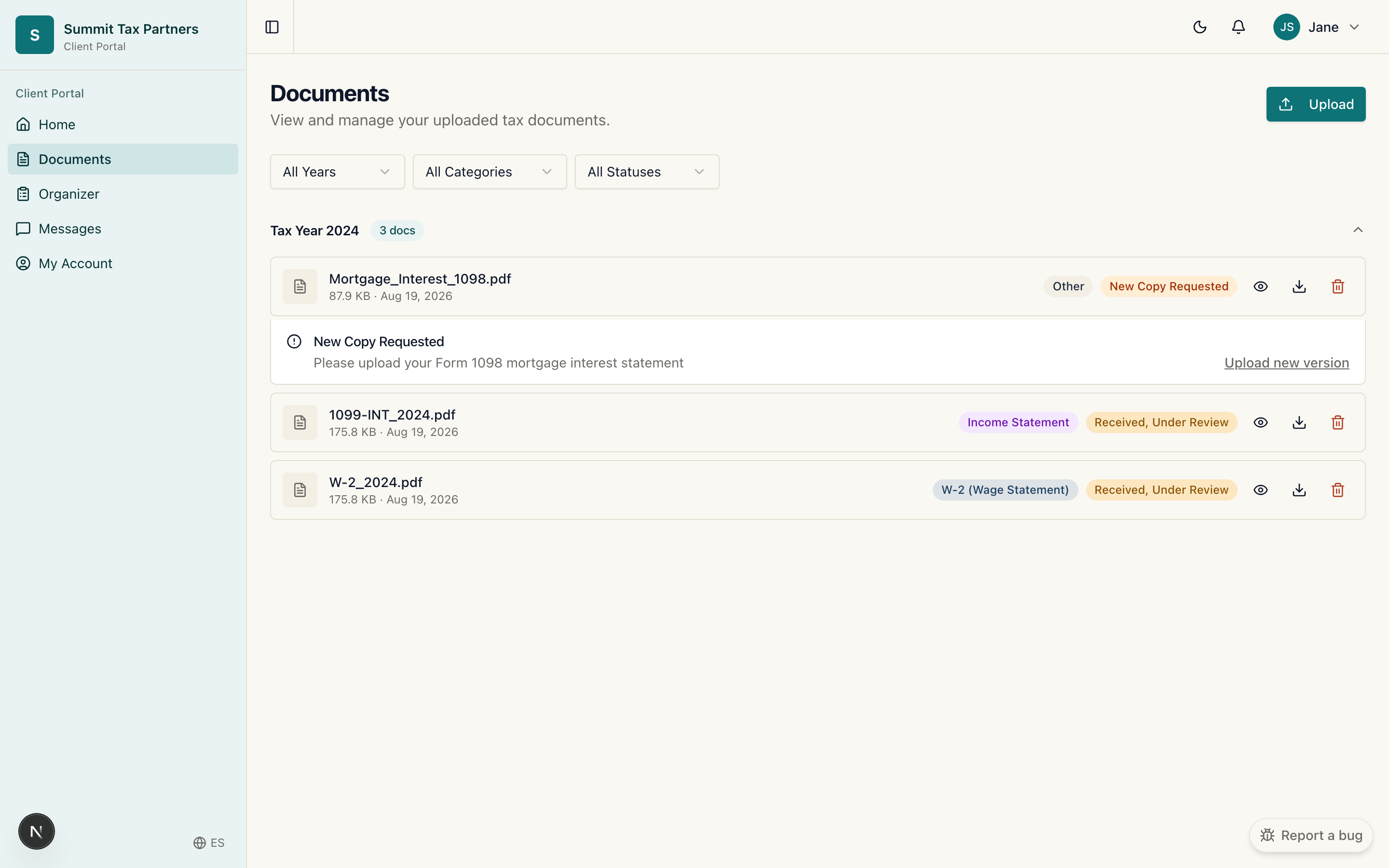
Upload a document
- Open Documents from the menu, then choose Upload.
- Pick the file from your device.
- Confirm and upload. The file appears in your documents list right away.
Respond to a request
- When your firm needs a specific document, it shows up under What your firm needs on your dashboard and in your documents list marked as requested.
- Click Upload next to that item and send the file. The request clears once it is received.
Send a corrected version
- If your firm asks for a new copy of a file, upload the corrected file the same way.
- FairFyn keeps it as a new version so the history stays clear for both of you.
Good to know
- Your firm can also send files to you here, such as a draft or your finished return.
- Only your firm and you can see these documents.
Was this helpful?