Documents and checklists
What it is for: collecting exactly the right files, reviewing them, and sending work back, without email attachments.
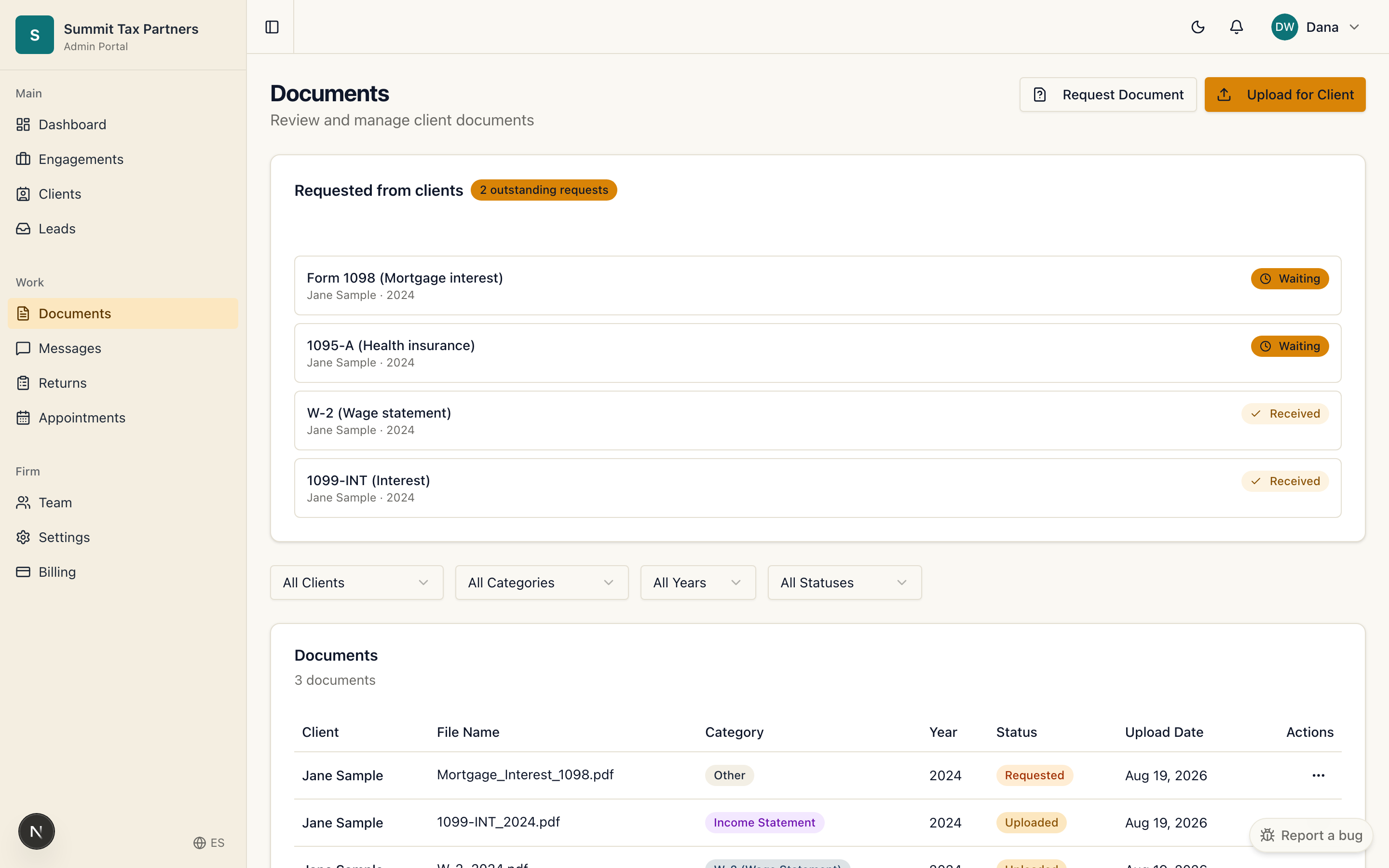
Request a document
- Open the client’s record or the Documents area.
- Request the specific document you need. It appears on the client’s dashboard as something they owe you.
- When the client uploads it, the request clears.
Review an upload
- Open the uploaded file from Documents.
- Approve it, or ask for a new copy with a short reason. The client is notified either way.
Share a draft or finished return
- Upload the file and send it to the client.
- The client sees it in their own documents area.
Checklists
Use a checklist to lay out everything a client needs to provide. Open items show up on the client’s dashboard under “What your firm needs,” so both sides always know what is outstanding.
Was this helpful?